


Prismward app icon

PRISMWARD

IDLE TOWER DEFENSE

Bend sunlight through prisms and mirrors. One beam can wipe a whole wave.

A beam bouncing through a pack of shades

Bend the light

Prisms split your beam and mirrors bounce it. Line them up and one ray chains from shade to shade across the whole arena.

A tower holding against a swarm of shades

Hold the sanctuary

Ten waves a stage, a boss at the end, and new kinds of shade that each call for a different build.

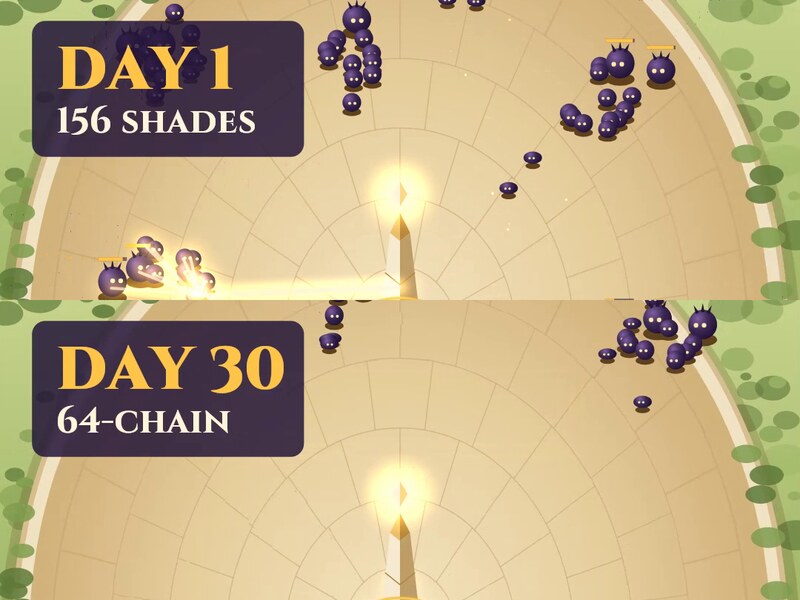
The same final wave on day 1 and on day 30

Upgrade forever

Your sanctuary keeps earning while you’re away. Spend it in the Workshop and the Lab, and the same wave that swamped you melts.

Follow Prismward TikTok YouTube Instagram

How to play

1. Defend the sanctuary

Shades march on your sun sanctuary in waves. Your obelisk aims and fires by itself, and each beam forks to nearby shades, so a tight pack can go down in one chain. Stop them before they reach the center.

2. Boost during the battle

Defeated shades drop Photons. Spend them on Power, Tempo, Prism or Reach to strengthen the tower for that battle. When a big pack gets close, tap Overdrive: for a few seconds your beams fork wider, jump farther and fire twice as fast. You get three per battle.

3. Upgrade between battles

Battles pay coins for every wave you clear, even when you lose. Spend them in the Workshop to make the tower permanently stronger, and start research in the Lab, which keeps running while you’re away. If a stage stops you, upgrading is almost always the answer.

4. Match your crystal to the shades

Later stages bring new shades. Warded shades shrug off forked hits, and Facet crits pierce their wards. A Brood bursts into quick Motes, and a Nova burst pops them. Menders heal the shades around them, and the Ember crystal’s burn stops the healing.

5. Keep climbing

Your sanctuary earns while you’re offline. Clear stage 10 to open the Arena, where you duel another player’s run on the same waves, and join the seasons and weekend events for extra rewards.

Read the strategy guideWhat to upgrade first, and which crystal to bring

Support

The fastest way to reach us is in the game: tap the gear at the top right of the home screen, then Send feedback. It sends your message straight to the developer along with what screen you were on.

You can also email prismwardgames@outlook.com.

Common questions

How do I move my progress to a new phone?

On your old phone, tap the gear → Get a code. On the new phone, install Prismward, tap the gear → Enter a code, and type it in. The code works once, for 24 hours. Your old phone starts fresh afterward.

Something I bought is missing.

Open the Shop and tap Restore purchases. If it’s still missing, use Feedback or email us with the date of the purchase; you won’t be charged twice.

How do I get a refund?

Refunds are handled by the store you bought from. On iPhone, visit reportaproblem.apple.com. On Android, see Google Play’s refund help.

How do I turn off sound, music, vibration or reminders?

Tap the gear at the top right of the home screen.

How do I delete my data?

Tap the gear → Delete my data. See the privacy policy for what that removes.

Follow Prismward TikTok YouTube Instagram

Free to play, with optional in-app purchases. Strategy guide · Privacy policy